> ## Documentation Index
> Fetch the complete documentation index at: https://relivai-63.mintlify.site/llms.txt
> Use this file to discover all available pages before exploring further.
# Variables
> Save frequently used text as variables.
***
You can designate and use repeatedly used values as variables within your tests.
Unlike [Environment Variables](/guide/write/env-variable), these are temporary variables that are retained only during the execution of the test.
## 1. Creating Variables
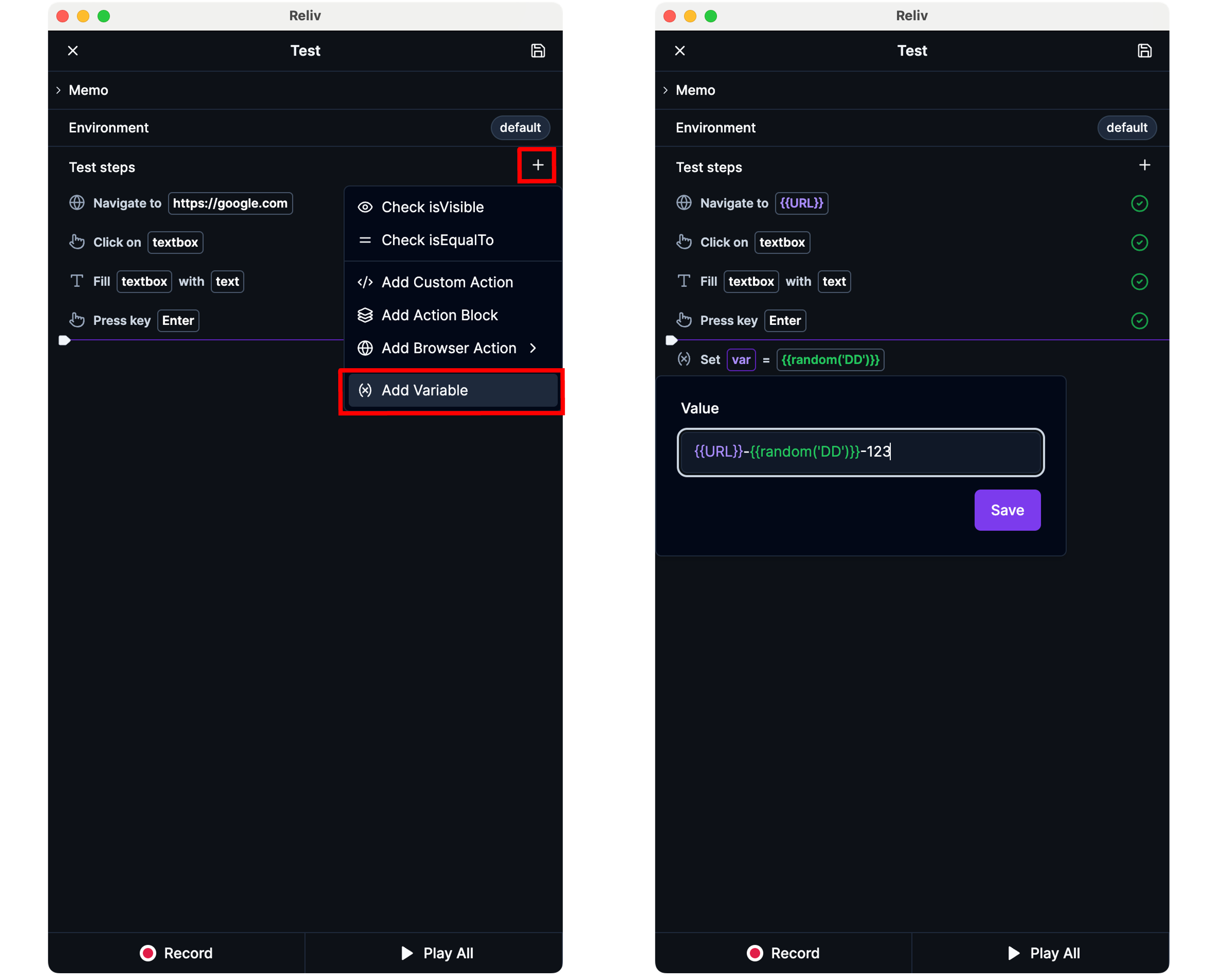
You can add a variable by clicking the **\[+]** button at the top right of the **\[Test Steps]** panel in the Reliv Editor and then clicking **\[Add Variable]**.
You can enter the desired variable value as text, or use various types of variables by typing `{` (curly braces).
* **Variable**: Enter the name of a variable defined before the current step.
* **Environment Variable**: These are predefined variables that apply to the entire project.
* **Function**: You can use it to generate a string following a specific rule.
The functions currently supported are as follows.
| Function | Description |
| ---------- | ---------------------------------------------------------------------------------------------------------------------------------------------------------------------------------------------------------------------------------------------------------------------------------- |
| `random()` | Generates a random alphanumeric string.
By default, it generates a string of length 10.
You can specify the length of the string to be generated, like `random(1)`. |
| `now()` | Generates the current time string at the time of execution.
By default, it generates the current time string in ISO 8601 format.
You can specify the format by entering a [day.js format](https://day.js.org/docs/en/parse/string-format), like `now('YYYY-MM-DD')`. |
 ## 2. Using Variables
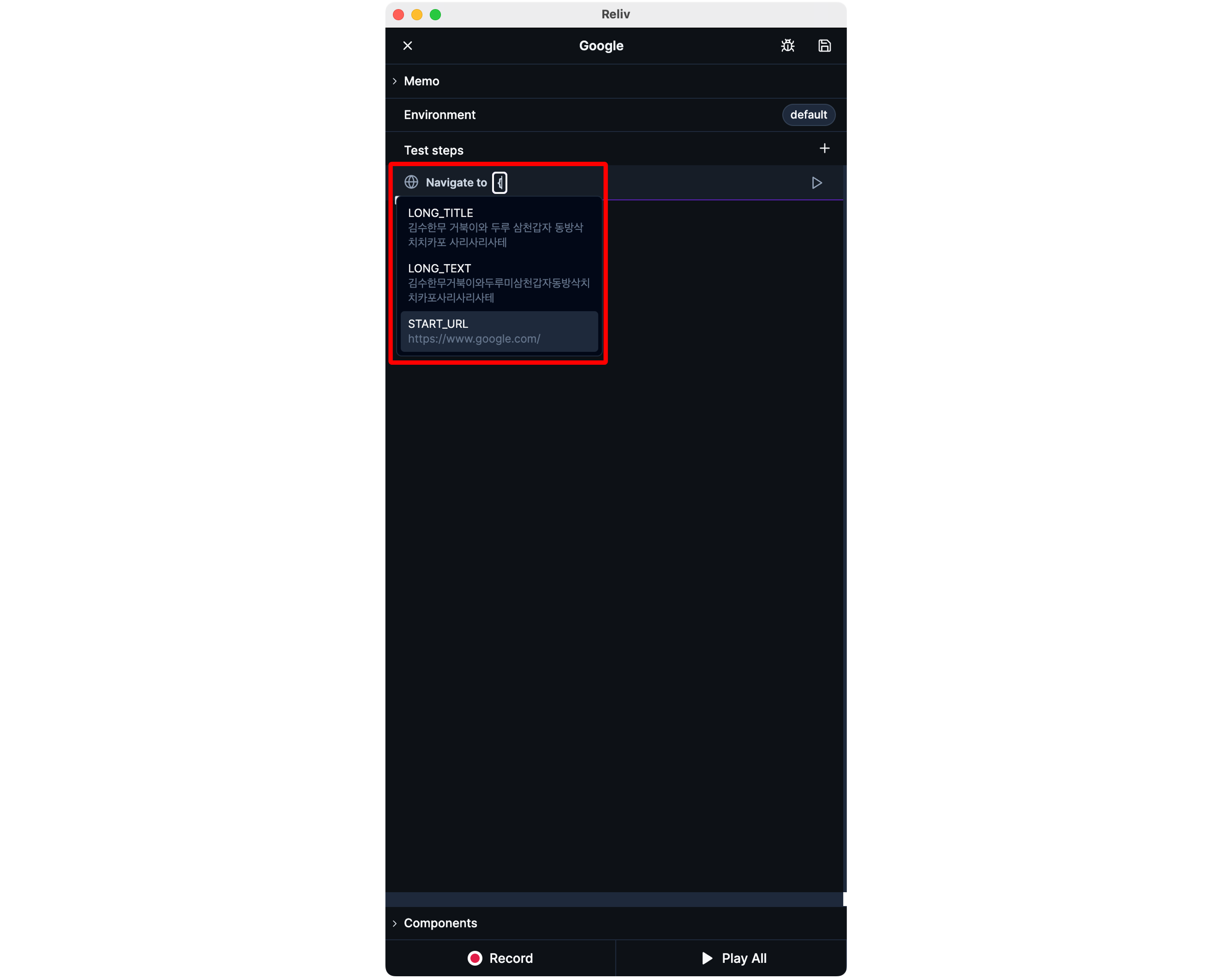
When you type `{` (curly braces) in a text input field, a list of variables/environment variables/functions will appear.
You can click to insert a variable.
Each action block has its own namespace for variables.
## 2. Using Variables
When you type `{` (curly braces) in a text input field, a list of variables/environment variables/functions will appear.
You can click to insert a variable.
Each action block has its own namespace for variables.
Variables defined in one action block (or the top-level) are not recognized inside
another action block.
If you want to use a variable from outside an action block inside it, use
[action block parameters](/guide/action-block#3).