> ## Documentation Index
> Fetch the complete documentation index at: https://relivai-63.mintlify.site/llms.txt
> Use this file to discover all available pages before exploring further.
# Special Actions
> We'll show you how to add special actions.
***
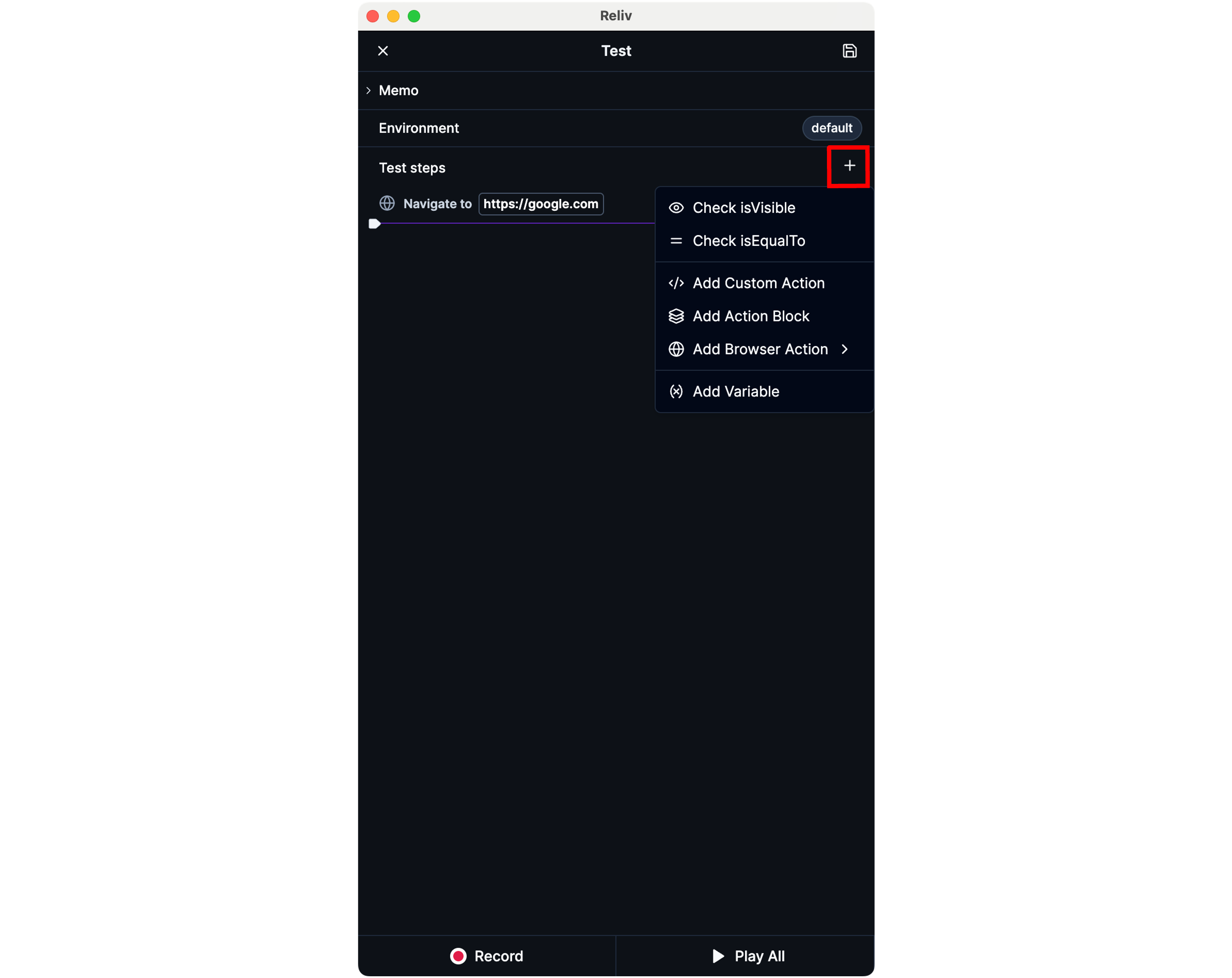
You can add special actions by clicking the **\[+]** button at the top right of the **\[Test Steps]** panel in the Reliv Editor.
The types of special actions include:
* Check actions: Assertions that verify if the current state matches the expected state.
* `isVisible`: Checks if a specific element is visible on the screen.
Upon adding, select the target element on the browser screen to complete the action addition.
* `isEqualTo`: Checks if the current text of a specific element matches.
Upon adding, select the target element on the browser screen to complete the action addition.
* Add actions
* `Custom Action`: Define a [custom action](/guide/advanced/custom-action) by writing your own code.
* `Action Block`: Adds an [action block](/guide/action-block) consisting of frequently used steps.
* `Browser Action`: Browser actions.
* `Click`: Clicks a specific element.
Upon adding, select the target element on the browser screen to complete the action addition.
* `Hover`: Place mouse cursor over a specific element.
Upon adding, select the target element on the browser screen to complete the action addition.
* `Navigate`: Navigates to a specific URL.
* `Reload`: Refreshes the current page.
* `Add Variable`: Adds a [variable](/guide/write/variable) for storing repeating text or function return values.