> ## Documentation Index
> Fetch the complete documentation index at: https://relivai-63.mintlify.site/llms.txt
> Use this file to discover all available pages before exploring further.
# Editing a Test
> We'll show you how to select, duplicate, and delete actions, as well as how to change their order.
***
## 1. Selecting Multiple Actions (Multi Select)
By clicking on two actions while holding down the `Shift` key, all actions between them will be selected.
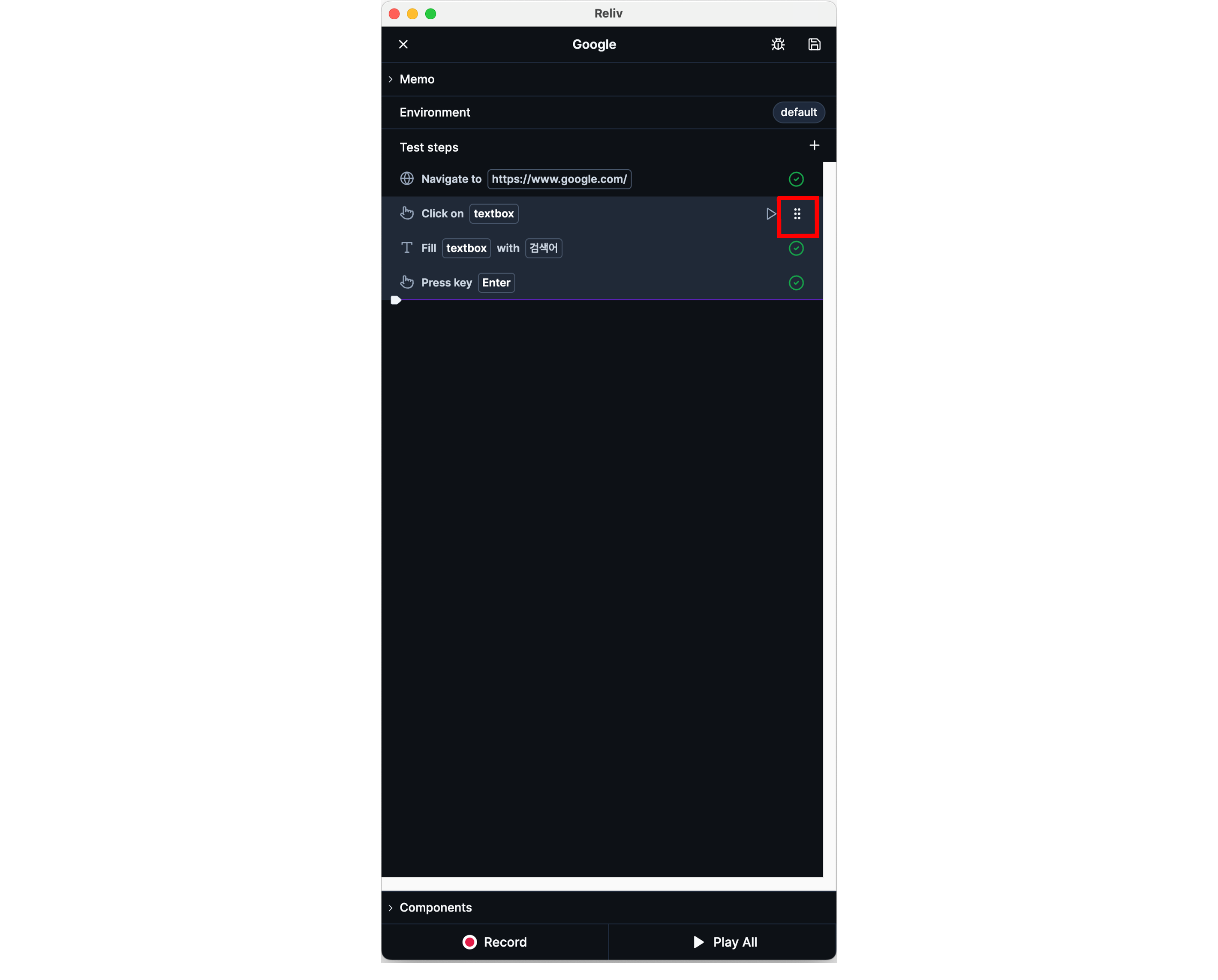
## 2. Changing the Order of Actions (Drag & Drop)
You can change the order of actions by dragging them while holding down the **\[handle button]** that appears to the right of an action when you hover over it.
If multiple actions are selected, you can move them all at once by dragging the handle button.
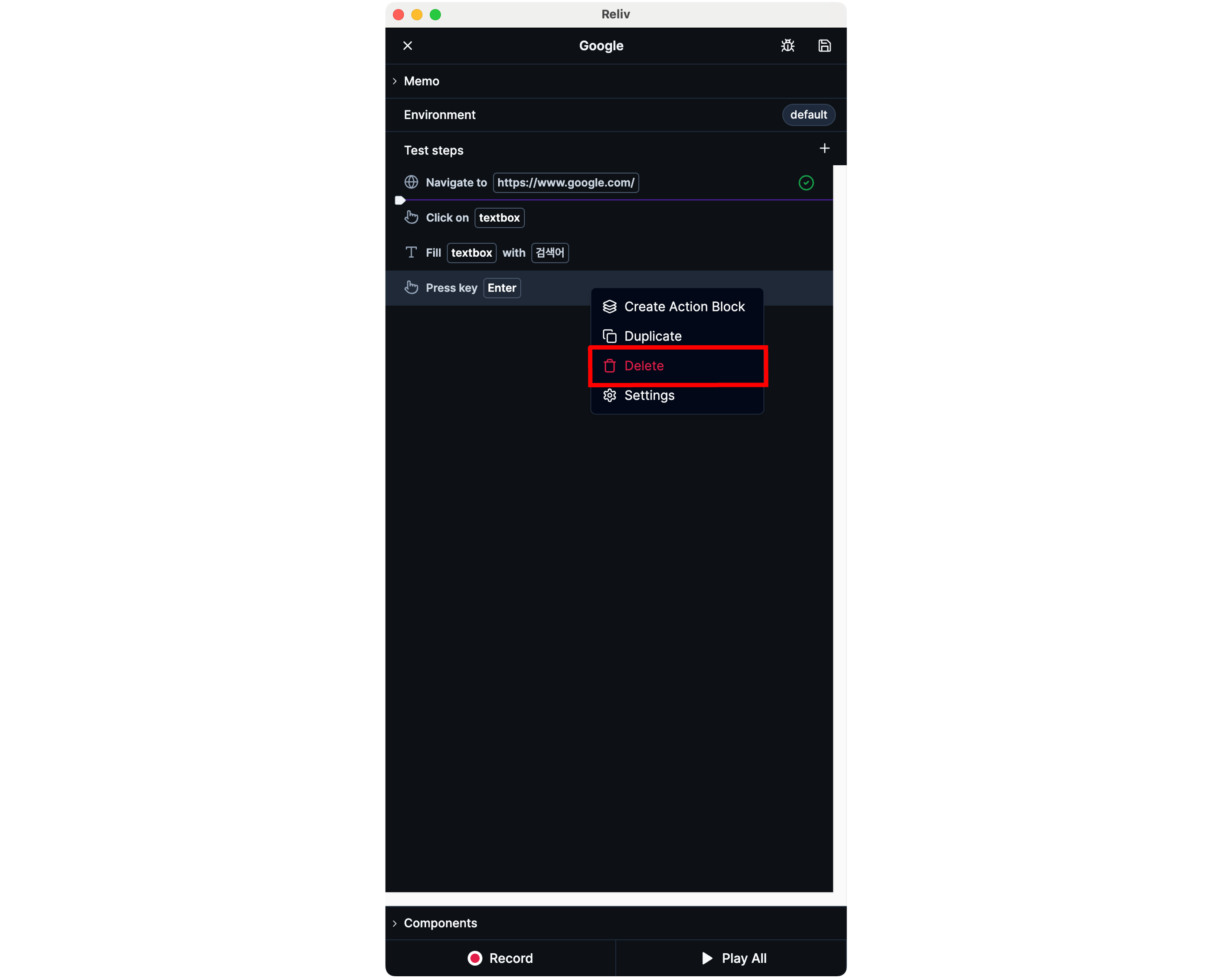
 ## 3. Deleting Actions
You can delete an action by **right-clicking on an action > \[Delete]**.
If multiple actions are selected, you can delete them all at once by **right-clicking > \[Delete]**.
## 3. Deleting Actions
You can delete an action by **right-clicking on an action > \[Delete]**.
If multiple actions are selected, you can delete them all at once by **right-clicking > \[Delete]**.
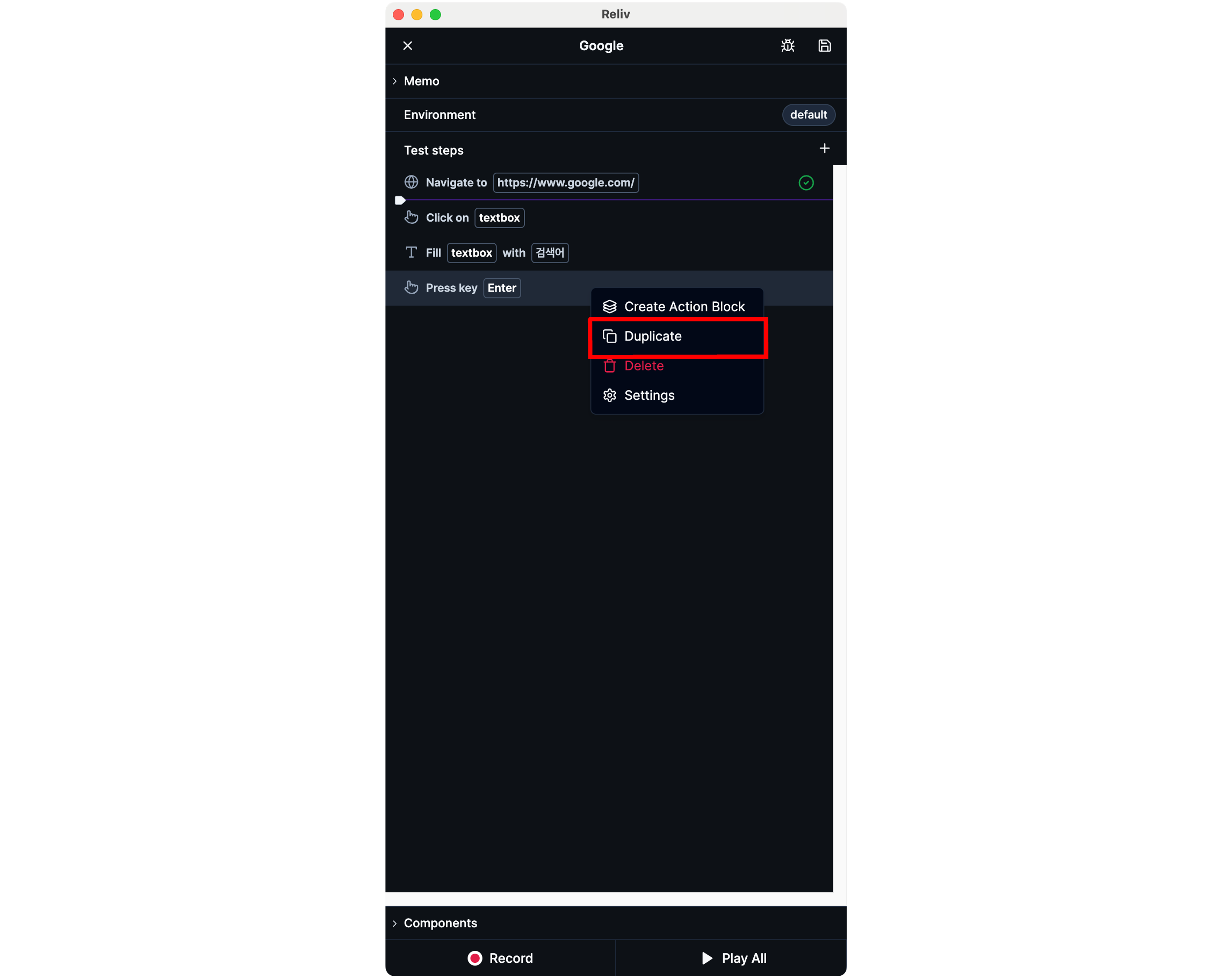
 ## 4. Duplicating Actions
You can duplicate an action by **right-clicking on an action > \[Duplicate]**.
If multiple actions are selected, you can duplicate them all at once by **right-clicking > \[Duplicate]**.
## 4. Duplicating Actions
You can duplicate an action by **right-clicking on an action > \[Duplicate]**.
If multiple actions are selected, you can duplicate them all at once by **right-clicking > \[Duplicate]**.